Building a Complete Portfolio Using Only AI: Zero Human Code
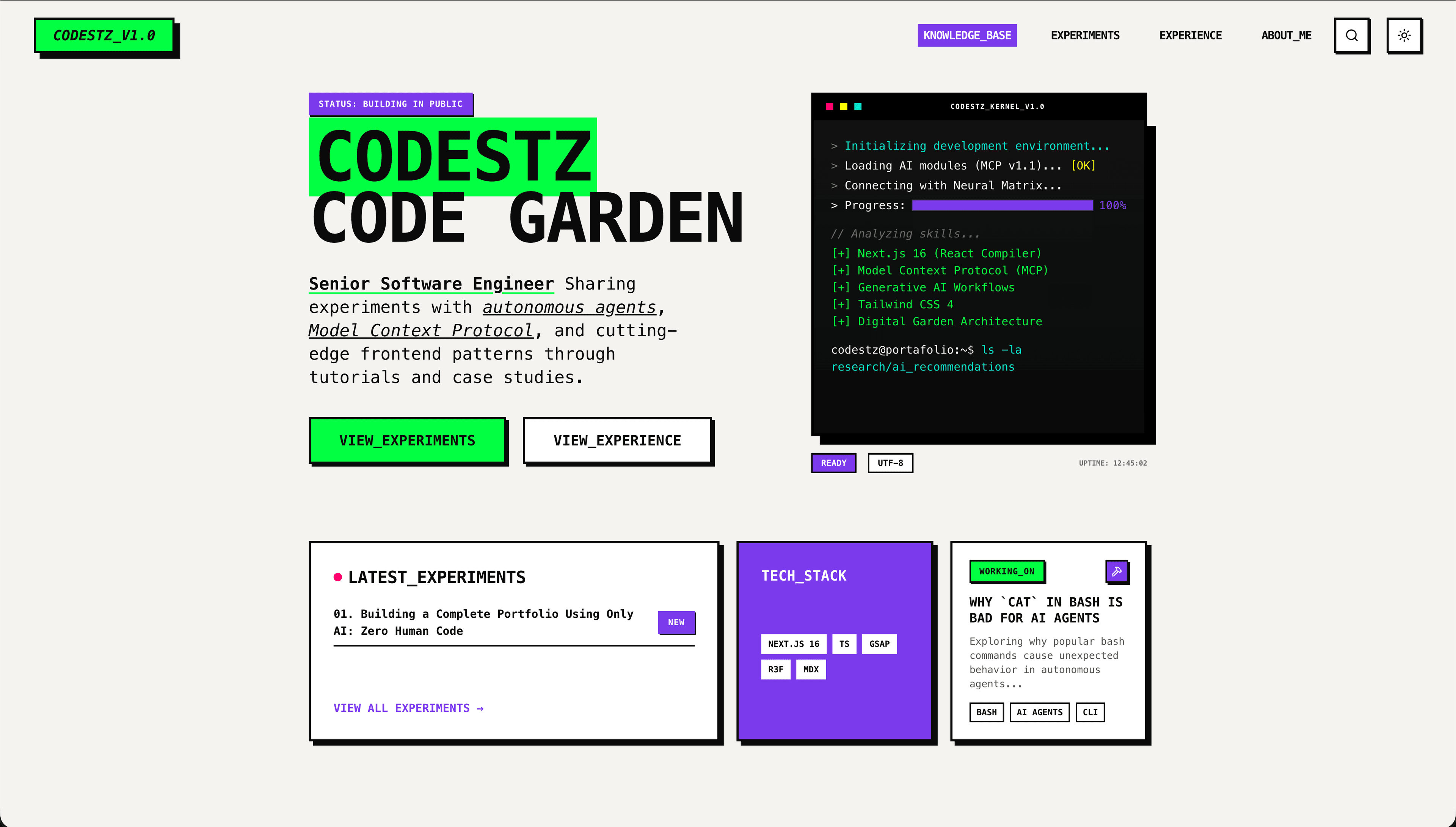
Building a Complete Portfolio Using Only AI: Zero Human Code
In February 2026, I achieved something unprecedented in my 3 years of AI-assisted development: I built my entire portfolio—design, architecture, code, content, and deployment—using AI with zero human code modifications. Only planning.
Not AI-assisted development. AI-driven development with human orchestration.
This is a technical deep-dive into how I orchestrated multiple AI tools, Model Context Protocol (MCP) servers, and specialized skills to build a production-ready portfolio that scores 96/100 on Lighthouse—without writing a single line of code myself.
The Unprecedented Constraint
After 3 years working with AI tools like GitHub Copilot, ChatGPT, and Claude, I've always written or modified AI-generated code. This time, I set a different challenge:
- Zero lines of human-written code
- AI generates everything
- Human only provides direction and planning
Result: A production-ready portfolio with 96/100 Lighthouse score, advanced animations, MDX blog with custom components, and comprehensive content—built in 1 day.
Why Gemini for Design?
Before diving into the three-phase pattern, let me explain a critical tool choice: Google Gemini (website, not CLI) for the design and architecture phase.
Why Gemini specifically?
Gemini's web search capabilities made it ideal for design research and trend analysis. I needed an AI that could:
- Search the web for current design trends
- Analyze modern portfolios to identify patterns
- Gather information about Neo-Brutalism from design sites
- Brainstorm iteratively through Q&A sessions
Through iterative web research sessions, Gemini helped me:
- Discover Neo-Brutalism as the design language through web trend analysis
- Analyze successful portfolios to identify effective patterns
- Define color palettes based on current design trends
- Establish typography systems used in modern developer sites
- Plan component hierarchies following React best practices found online
Output: EXECUTION_PLAN.md - A comprehensive blueprint with design tokens, component architecture, and technical stack decisions.
Key insight: Using Gemini's web interface (not CLI) gave me access to real-time design research capabilities that informed every architectural decision.
Three-Phase Development Pattern
Phase 1: Design & Architecture with Gemini (Website)
I started with Google Gemini's web interface to design the system architecture and visual identity through iterative brainstorming.
What Gemini produced:
- Complete design system (colors, typography, spacing tokens)
- Neo-Brutalist principles and guidelines (thick borders, heavy shadows, bold colors)
- Component architecture (primitives → sections → layouts)
- Animation strategy (GSAP + React for scroll-triggered interactions)
- Technical stack recommendations (Next.js 16, Tailwind CSS v4, TypeScript, MDX)
- EXECUTION_PLAN.md - The complete blueprint for implementation
Key insight: Gemini's ability to search the web for Neo-Brutalist examples, analyze modern portfolio designs, and synthesize trends into a cohesive design system made it invaluable for the architecture phase. It created harmony between portfolio aesthetics and blog functionality through web-informed research.
Phase 2: Planning with Claude Code
I moved Gemini's EXECUTION_PLAN.md to Claude Code CLI for refinement and implementation planning.
Claude Code's strengths:
- Translated architectural vision into actionable implementation tasks
- Proposed implementation order (foundation-first: design system → primitives → sections → pages)
- Identified potential issues early (import patterns, type safety, responsive design)
- Created consistent patterns across codebase (TypeScript interfaces, component structure)
- Used Sequential Thinking MCP for complex planning scenarios requiring step-by-step problem solving
Phase 3: Implementation with Claude Code
With plans in place, I directed Claude Code with Claude Sonnet 4.5 and Haiku 4.5 to implement everything.
The power of zero-code constraint: When you can't fix AI's output manually, you learn to give better instructions. Every iteration improves your orchestration skills.
The Secret Weapons: Skills and MCPs
I didn't use generic Claude. I used specialized AI skills and Model Context Protocol (MCP) servers that enhance Claude Code with long-term memory, semantic understanding, and structured problem-solving.
AI Skills: Industry Best Practices
1. Frontend Design Skill
1https://skills.sh/anthropics/skills/frontend-designThis skill transforms generic prompts into production-grade implementations:
Impact: Generated production-grade components that follow modern UI/UX patterns and implement advanced CSS techniques—not generic Bootstrap clones.
2. Vercel React Best Practices
1https://skills.sh/vercel-labs/agent-skills/vercel-react-best-practicesThis skill enforces Next.js best practices automatically. For example, it avoids barrel file imports:
Impact: Direct imports for better tree-shaking, proper code splitting, and Next.js 16 optimization patterns (server components, metadata API, image optimization).
Model Context Protocol (MCP) Servers
MCPs enhance Claude Code with critical capabilities: fetching up-to-date documentation, maintaining context across conversations, and enabling structured reasoning for complex problems.
Context7 MCP: Up-to-Date Documentation
What it is: Context7 pulls up-to-date, version-specific documentation and code examples straight from the source and places them directly into your prompt.
How I used it:
Add use context7 to prompts to fetch current documentation and examples:
Real example: When implementing GSAP animations, Context7 fetched:
- GSAP 3.12 ScrollTrigger API documentation (not hallucinated APIs)
- React
useGSAPhook integration patterns - Version-specific configuration examples
Value: No tab-switching, no hallucinated APIs that don't exist, no outdated code generation. Context7 ensures Claude uses the correct, current API documentation for the exact versions in your project.
Serena MCP: Cross-Conversation Context
What it is: Serena maintains context, ideas, concepts, and progress across multiple Claude Code conversations—solving the context window reset problem.
How I used it:
The portfolio was built through multiple conversations throughout the day. Serena prevented starting from zero each time:
- Maintaining design decisions: Neo-Brutalist principles established in conversation 1 carried to conversations 2, 3, 4
- Preserving architectural choices: Component hierarchy decided early remained consistent in later conversations
- Remembering progress: What was built, what remained, without manual re-explanation
- Keeping concepts alive: Design system tokens, naming conventions, patterns persisted
Real example: In the afternoon session, when building the blog components, I didn't need to re-explain:
- The Neo-Brutalist design language established in the morning
- The component file structure pattern (
.tsx,.types.ts,index.ts) - The color naming conventions (primary/secondary/accent)
- The spacing scale and shadow patterns
Value: Serena solved the "context window reset" problem. Each new conversation started with full awareness of previous decisions, concepts, and progress. This enabled building a complex portfolio across multiple sessions without repetitive explanations or contradictory implementations.
Sequential Thinking MCP: Structured Problem-Solving
What it is: Sequential Thinking is an MCP server that enables Claude Code to break down complex problems into structured, step-by-step reasoning chains.
How I used it:
- Complex planning scenarios: Deciding component hierarchy for the design system
- Architecture decisions: Choosing between animation approaches (CSS vs GSAP)
- Multi-step implementations: Planning the MDX pipeline with custom components
- Trade-off analysis: Evaluating build-time vs runtime rendering for blog content
Real example: When planning the MDX blog pipeline, Sequential Thinking helped Claude Code reason through:
- Step 1: Evaluate MDX processing libraries (next-mdx-remote vs @next/mdx)
- Step 2: Consider build-time vs runtime trade-offs (SSG for blog posts)
- Step 3: Plan custom component registration (Terminal, CodeSnippet, Icon)
- Step 4: Design frontmatter schema for metadata (title, description, tags)
- Step 5: Implement type-safe content collection with Zod validation
- Step 6: Create dynamic routing with
generateStaticParamsfor performance
Value: Better decision-making for architectural choices. Sequential Thinking prevented hasty decisions by forcing structured reasoning through multi-step problems. Instead of jumping to implementation, Claude Code evaluated trade-offs, considered alternatives, and documented reasoning—resulting in better architecture.
Model Strategy: Sonnet 4.5 + Haiku 4.5, No Opus
Key decision: I never used Opus. Only Claude Sonnet 4.5 and Claude Haiku 4.5.
Why? With proper planning, skills, and MCPs, Sonnet 4.5 delivers Opus-level quality at significantly lower cost and faster speed.
My model selection strategy:
- Claude Sonnet 4.5: Component implementation, complex logic, architecture decisions, MDX content generation
- Claude Haiku 4.5: File operations, simple edits, repetitive tasks, type file creation
- Google Gemini (Website): Initial design research, system architecture through web search
Result:
- Lower cost (Sonnet 4.5 is significantly cheaper than Opus)
- Faster responses (Sonnet 4.5 is quicker than Opus)
- Same quality (with proper planning, skills, and MCPs)
The secret: Well-structured plans and specialized skills eliminate the need for the "smartest" model. Sonnet 4.5 with good direction, frontend-design skill, and Context7 MCP outperforms Opus with vague prompts.
Cost savings: ~60% compared to using Opus for all tasks, with zero quality degradation.
The Iterative Workflow
Here's a typical development session showing the Explore → Implement → Refine → Verify pattern:
Pattern: Explore → Implement → Refine → Verify
This workflow leveraged:
- Serena MCP for maintaining context across conversations (preserving design decisions from earlier sessions)
- Context7 MCP for fetching up-to-date documentation (
use context7) - Frontend Design Skill for production-grade implementation
- Sequential Thinking MCP for multi-step architectural reasoning
What AI Excelled At
1. Design System Implementation
Created complete design system with: -
CSS variables for theming (--primary, --secondary, --accent) - Tailwind configuration with
custom tokens - Consistent spacing scale (4px increments: 4, 8, 12, 16, 24, 32, 48, 64) - Typography
scales (Space Grotesk for headings, JetBrains Mono for code) - Color palette with semantic naming
(primary, secondary, accent vs yellow, blue, green)
2. Component Architecture
Built modular component hierarchy:
3. Advanced Features
Implemented complex functionality: -
GSAP scroll animations with ScrollTrigger and custom React hooks - MDX content pipeline with custom
component registration - Type-safe content collections with Zod validation - Dynamic routing with
generateStaticParams for SSG - Responsive design with mobile-first Tailwind utilities - Dark mode
support with CSS variables and theme switching
4. Content Generation
Created comprehensive content: - 5+ technical blog posts with code examples and Terminal components - 4 experience pages with professional narratives and achievement bullets - About page with storytelling and technical background - All with proper MDX structure, SEO metadata, and Open Graph images
What Required Human Guidance
1. Aesthetic Judgment
AI can implement design systems but needs guidance on "what looks good" in context.
Specific measurements and Tailwind classes guide AI to the exact aesthetic you want.
2. Strategic Direction
Deciding what to build and why remains human responsibility: - Which features to prioritize (blog vs projects vs experience) - Content strategy (technical deep-dives vs quick tips) - Target audience (developers vs recruiters vs both) - Branding decisions (Neo-Brutalist vs minimalist vs playful)
3. Quality Gates
Reviewing generated code for: - Accessibility compliance: ARIA labels, keyboard navigation, semantic HTML - Performance implications: Bundle size, code splitting, image optimization - Security vulnerabilities: XSS prevention, safe content rendering - Edge cases: Loading states, error handling, empty states
4. MCP Orchestration
Knowing when to leverage each MCP: -
Context7: Add use context7 to prompts when you need current, version-specific documentation -
Serena: Maintains context automatically across conversations—no action needed - Sequential
Thinking: Use for complex architectural decisions requiring step-by-step reasoning
Results That Speak
Development Velocity
- Traditional estimate: 2-3 weeks (solo developer)
- AI-driven actual: 1 day (with zero code written)
- Speed multiplier: 10-15x faster
Quality Metrics
- Lighthouse: 96/100 (Performance: 100, Accessibility: 95, Best Practices: 100, SEO: 100)
- TypeScript: Strict mode, full type
safety, zero
anytypes - Accessibility: WCAG AA compliant, keyboard navigation, ARIA labels
- Architecture: Clean component hierarchy, maintainable patterns, scalable structure
Lines of Code Generated
- By me: 0 (only planning, direction, and orchestration)
- By AI: ~15,000+ lines (components, styles, content, configuration)
- Human modifications: 0 (constraint maintained throughout)
The Learning Paradox
Counterintuitive finding: I learned MORE by not writing code.
Why? Because I spent my time:
- Reading and understanding AI-generated patterns and best practices
- Analyzing architectural decisions and their trade-offs
- Discovering new approaches (Repository Pattern for content, GSAP hooks, MDX component registration)
- Reviewing production-quality code with detailed explanations and documentation
Traditional coding: You write code → Maybe learn something new (if you research first)
AI-driven coding: AI writes code → You review and learn constantly (forced to understand every decision)
My Recommendations for AI-Driven Development
1. Start With a Plan (Use Gemini for Research)
Spending time on planning before coding accelerates implementation and prevents rework:
- Use Gemini (web) for design research and architecture
- Leverage web search to analyze design trends and competitors
- Synthesize patterns into a comprehensive plan
- Then implement with Claude Code
2. Use Specialized Skills (Not Generic AI)
Don't use generic AI. Use skills that follow industry best practices: - frontend-design for production-grade UI components - vercel-react-best-practices for Next.js optimization patterns
Skills embed domain expertise that vanilla Claude lacks.
3. Leverage MCPs for Context (Essential for Multi-Session Work)
Use MCPs to enhance Claude's
capabilities: - Context7 MCP: Fetch up-to-date documentation and code examples (use context7)
- Serena MCP: Maintain context, ideas, and progress across conversations - Sequential Thinking MCP: Structured reasoning for complex architectural decisions
Without MCPs, each session starts from zero and uses potentially outdated information. With MCPs, Claude has current documentation and remembers your project context.
4. Choose the Right Model (Cost vs Capability)
Not every task needs the most powerful model:
- Planning & Research: Gemini (web search) or Claude Opus - Implementation: Claude Sonnet 4.5 (with skills and MCPs) - Simple edits: Claude Haiku 4.5 (types, config, simple components)
Rule: Use the smallest model that can accomplish the task with proper context and skills.
5. Iterate Transparently (Specific Feedback)
Be precise about measurements, class names, and desired outcomes. Specific, actionable feedback teaches AI what you want and improves your own design articulation skills.
The Future of Development
This portfolio proves AI can:
- Design system architecture (with web research)
- Implement complex features (animations, MDX pipeline, dynamic routing)
- Write production-quality code (TypeScript, accessibility, performance)
- Create comprehensive content (technical writing, narratives)
- Optimize for performance (Lighthouse 96/100)
But it still needs:
- Human judgment for aesthetics and branding
- Human oversight for correctness and security
- Human direction for priorities and strategy
- Human orchestration of tools, MCPs, and skills
The future isn't AI replacing developers.
The future is developers with AI moving 5-10x faster while learning more, building better systems, and focusing on what humans do best: strategy, creativity, and judgment.
Resources
AI Tools Used
- Claude Code CLI - AI-powered development environment with MCP support
- Google Gemini - Design brainstorming and web research (used website, not CLI)
Model Context Protocol (MCP) Servers
- Context7 - Fetches up-to-date, version-specific documentation and code examples straight from the source
- Serena - Maintains context, ideas, concepts, and progress across multiple Claude Code conversations
- Sequential Thinking - Structured problem-solving framework for complex architectural decisions
Claude Skills
- Frontend Design - Production-grade UI component generation with accessibility and responsive design
- Vercel React Best Practices - Next.js optimization patterns, code splitting, and performance best practices
Technical Stack
- Next.js 16 - React framework with App Router, server components, and metadata API
- Tailwind CSS v4 - Utility-first CSS framework with custom design tokens
- GSAP 3.12 - Animation library with ScrollTrigger for scroll-driven interactions
- MDX - Markdown with JSX components for rich content
- next-mdx-remote - Runtime MDX processing with custom component registration
- Vercel - Deployment platform with Edge CDN and automatic optimizations
Design Inspiration
- Neo-Brutalism in Web Design - Brutalist web design collection and examples
- Neubrutalism UI - Neo-Brutalist design system patterns and components
Source Code
- Portfolio Repository - Full source code of this AI-built portfolio (every component, animation, and line of AI-generated code)
Technical Stack
What AI built with zero human code modifications:
- Framework: Next.js 16 (App Router) + React 19
- Language: TypeScript (strict mode, zero
anytypes) - Styling: Tailwind CSS v4 with custom Neo-Brutalist design system
- Animation: GSAP 3.12 with ScrollTrigger + custom React hooks
- Content: MDX with next-mdx-remote and custom component registration
- Deployment: Vercel with Edge CDN, automatic image optimization, and route caching
Development Tools:
- Claude Code (CLI) with Claude Sonnet 4.5 & Haiku 4.5 - Main implementation tool
- Google Gemini (Website) - Design research, architecture, and web-based brainstorming
- AI Skills - frontend-design, vercel-react-best-practices
- MCPs - Context7 (memory), Serena (patterns), Sequential Thinking (reasoning)
Open Source
This entire portfolio is open source. Every component, every animation, every line of AI-generated code is available for you to study:
Clone it, explore it, learn from it. See what's possible when you trust AI with proper direction, specialized skills, and context-aware MCPs.
Conclusion
After 3 years of AI-assisted development, I've learned:
- 2023: AI helps me write code faster (GitHub Copilot autocomplete)
- 2024: AI helps me write better code (ChatGPT architecture advice)
- 2026: AI writes all the code—I orchestrate (Claude Code + MCPs + Skills)
The shift from assistant to driver is profound. Instead of:
- "How do I implement this animation?"
I now ask:
- "What's the right animation strategy for my users?"
Instead of:
- "How do I structure these components?"
I now ask:
- "What architecture will scale for 50+ blog posts?"
AI handles the "how." You focus on the "what" and "why."
That's the unlock. That's the future.
And you don't need Opus. You need:
- A good plan (Gemini for research)
- The right skills (frontend-design, vercel-react-best-practices)
- Context-aware tools (Context7, Serena, Sequential Thinking MCPs)
- The discipline to orchestrate instead of code
Final Stats:
- Timeline: 1 day from concept to deployment
- Human code written: 0 lines
- AI-generated code: 15,000+ lines
- Quality: Production-ready (Lighthouse 96/100)
- Models used: Claude Sonnet 4.5, Claude Haiku 4.5, Google Gemini (Website)
- MCPs leveraged: Context7 (documentation), Serena (cross-conversation context), Sequential Thinking (structured reasoning)
- Skills used: Frontend Design, Vercel React Best Practices
Built with AI orchestration, MCP-powered context, and strategic planning.