Stop Loading 100K Tokens Just to Call a Tool: Why I Built MCPX
Stop Loading 100K Tokens Just to Call a Tool
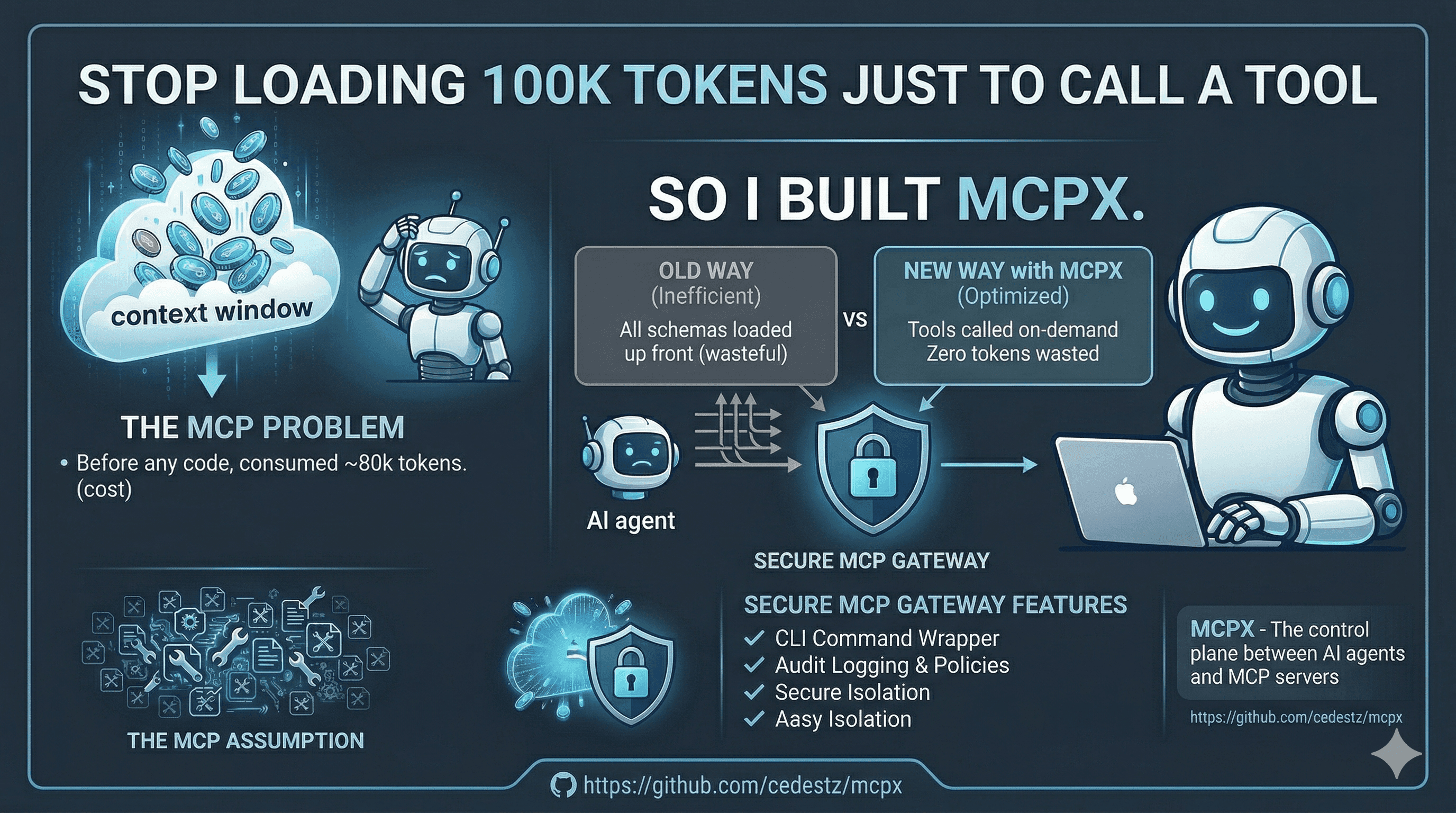
I connected an MCP server with 21 tools to Claude Code. Before the agent wrote a single line of code, it had already consumed ~80,000 tokens just loading tool schemas into context. That's $0.60 in API costs gone before any work even started.
Then the agent called one tool. One.
The entire MCP protocol is designed around a fatal assumption: that loading every tool schema upfront is acceptable. It isn't. Not when you're paying per token. Not when context windows are finite. Not when half those schemas describe tools your agent will never touch in a given session.
So I built MCPX -- a secure MCP gateway that wraps any MCP server into CLI commands callable via Bash. Zero schemas in context. Zero tokens wasted. Tools called on-demand, exactly when needed.
The Real Cost of Native MCP
Let's be concrete about what happens when you connect an MCP server the "normal" way.
Native MCP
MCPX
That's a 97% reduction in token usage for the same operation. And it compounds. Every conversation, every session, every tool call -- the savings stack up.
But the cost problem doesn't stop at schema loading. There's a deeper issue that nobody talks about: with native MCP, you have zero control over what data reaches the agent.
The Filtering Problem Raw MCP Can't Solve
Here's the scenario that made me realize native MCP isn't enough. An agent calls find_symbol looking for a class name. The MCP server returns a JSON response with 50 matches -- full file paths, line numbers, symbol kinds, parent scopes, docstrings, source bodies. Thousands of tokens of data dumped straight into the context window.
The agent only needed the name of the first match.
With native MCP, there is no way to filter tool responses before they reach the agent. Every byte the server returns goes directly into the context window. No transformation. No extraction. No trimming. The protocol has no concept of "give me just this field" or "I only need the first result."
This is where MCPX fundamentally diverges from raw MCP. Because MCPX tools are CLI commands, they inherit the entire Unix toolkit for data filtering -- plus built-in extraction flags that let you surgically pick exactly what the agent needs.
--pick: Extract Before It Hits Context
The --pick flag is the single most important feature in MCPX. It lets you extract a specific value from a tool's JSON response using dot-separated paths -- before the data reaches the agent.
That's the difference between 3,500 tokens and 10. Same tool call. Same MCP server. But with --pick, the agent only sees the exact data point it needs. The rest never enters context.
Array indices, nested paths, specific fields -- --pick gives you JSON path extraction without needing jq or any external tool. And because it runs inside MCPX before stdout is returned, the filtered result is all the agent ever sees.
@file and @-: Bidirectional Data Flow
The --pick flag controls what comes out of a tool call. The @file syntax controls what goes in.
Any string flag in MCPX can read its value from a file or from stdin. This is critical for two reasons: it enables piping between tools, and it lets agents pass large payloads without bloating the Bash command itself.
Think about what this means. With native MCP, if an agent wants to pass a 200-line function body as a tool argument, that entire body lives in the tool call message inside the context window. With @file, the agent writes the content to a temp file and passes the path. The payload travels outside the context window entirely.
Unix Composability: The Superpower Raw MCP Doesn't Have
--pick and @file are built-in. But because MCPX tools are standard CLI commands that read from stdin and write to stdout, they compose with everything Unix gives you. This is the architectural advantage that raw MCP simply cannot match.
With native MCP, tool responses exist inside the protocol. You can't grep them. You can't pipe them. You can't chain them. The data goes from server to agent with nothing in between. MCPX puts data back in the Unix pipeline where you can transform it before it ever touches the agent's context.
Every pipe, every grep, every head -n, every jq filter is a context window gate. Data that doesn't pass the filter never reaches the agent. This is impossible with native MCP -- every tool response arrives in full, unfiltered, directly into the conversation.
The Real-World Impact
Let me put numbers to this. A recursive directory listing of a typical project returns 200+ file paths. A symbol search might return 50 matches with full metadata. A pattern search returns every matching line with context.
Raw MCP (No Filtering)
MCPX (Filtered Pipeline)
Same four operations. 97% fewer tokens in context. Not because the tools returned less data -- because the data was filtered before it reached the agent. This is the difference between an agent that runs out of context after 20 tool calls and one that runs indefinitely.
How MCPX Works
MCPX sits between your AI agent and MCP servers as a control plane. Instead of injecting tool schemas into the LLM's context, it exposes them as standard CLI commands with Unix-native I/O.
The agent doesn't need to know what tools exist upfront. It discovers them lazily, the same way a developer would -- by asking.
Each step costs only the tokens for that specific Bash call. The agent never sees schemas it doesn't need. Discovery is incremental. Usage is on-demand. Responses are filtered. Cost is proportional to what you actually consume.
Native MCP is a Security Blank Check
Here's something nobody talks about enough: native MCP has zero access control.
When you connect an MCP server to an AI agent, that agent gets unrestricted access to every tool. A database MCP server? The agent can DROP TABLE as easily as it can SELECT. A file system server? It can delete your source tree. There's no policy layer, no audit trail, no way to say "read but don't write."
MCPX introduces a proper security layer between your agent and your tools:
- Policy engine -- Match tools by name, arguments, and content patterns with regex
- Three security modes -- Read-only, editing, or fully custom policies
- JSONL audit logging -- Every tool call recorded with timestamps and policy decisions
- OS keychain integration -- Secrets never written to disk
- Secret redaction -- Sensitive values automatically stripped from logs
1servers:
2  database:
3    command: mcp-postgres
4    args: ['--connection-string', '$(secret.DB_URL)']
5    security:
6      mode: custom
7      policies:
8        - name: block-mutations
9          match:
10            args:
11              sql: { deny_regex: '(?i)(DROP|DELETE|ALTER|TRUNCATE|INSERT|UPDATE)' }
12          action: deny
13        - name: allow-reads
14          match:
15            tool: { allow: ['query'] }
16          action: allow
The agent can query your database all day. But if it tries to run a DROP TABLE? Denied. Logged. You'll see exactly what it attempted and when.
Security policy evaluation for database tool call
{
  "tool": "query",
  "sql": "DROP TABLE users;"
}{
"matched_pattern": "(?i)(DROP|DELETE|ALTER|TRUNCATE|INSERT|UPDATE)",
"policy_name": "block-mutations",
"action": "deny",
"logged_to": "audit.jsonl"
}Daemon Mode and Zero-Overhead Execution
MCP servers take time to start. Some need to parse codebases, load indexes, or establish connections. MCPX solves this with daemon mode -- persistent server processes that stay alive between calls, communicating over Unix sockets.
One line in your config enables it:
1servers:
2  serena:
3    command: serena
4    args: [start-mcp-server, --context=claude-code]
5    daemon: true
6    startup_timeout: 30s
The server starts once, stays alive, and every subsequent call hits a warm process through a Unix socket locked to 0600 permissions. No TCP. No HTTP overhead. No cold starts.
Configuration That Scales
MCPX uses a two-level configuration system: global (~/.mcpx/config.yml) for your defaults, and project-level (.mcpx/config.yml) for repository-specific overrides.
Dynamic variables resolve at runtime -- $(git.root) for the repo root, $(env.NODE_ENV) from your environment, $(secret.API_KEY) from the OS keychain. No hardcoded paths. No secrets in config files. The same config works across machines and projects.
How I Actually Use It
I have MCPX integrated directly into my Claude Code workflow. Every tool call from serena (my code intelligence MCP server) routes through MCPX transparently. The key is not just calling tools -- it's controlling what data the agent receives.
Every call uses --pick, grep, or @file to minimize what enters the context window. The CLAUDE.md instructions I use are dead simple -- I list the available mcpx commands with their flags, and Claude Code knows how to call them. No MCP protocol handshakes. No schema negotiation. Just Bash.
Why This Architecture Wins
Let me be direct. Native MCP has three fundamental problems that MCPX solves:
1. No data filtering. Tool responses go straight into agent context, unfiltered. MCPX gives you --pick, --json, and the entire Unix pipeline to control exactly what the agent sees. This is not a nice-to-have -- it's the difference between an agent that exhausts its context window in 20 calls and one that runs all day.
2. No security model. Native MCP gives agents unrestricted access to every tool on every server. MCPX adds policy-based access control with regex matching, audit logging, and secret management. If you're connecting an AI agent to production infrastructure, this is non-negotiable.
3. No composability. MCP tools exist inside the protocol. They can't be piped, chained, or scripted. MCPX tools live in your shell. They compose with grep, jq, head, wc, sort -- everything Unix developers have relied on for 50 years.
The Bottom Line
MCP is a great protocol. It standardizes how AI agents talk to tools. But the default integration model -- dump every schema into context, return every byte of every response, and hope the agent figures it out -- is expensive, insecure, and wasteful.
MCPX doesn't replace MCP. It makes MCP production-ready.
- Data filtering with
--pick-- extract specific fields before they hit context -
@fileinput -- large payloads bypass the context window entirely - Unix composability -- pipe, grep, jq, head -- filter everything
- 97% fewer tokens per session
- Policy-based security with audit trails
- Sub-5ms latency with daemon mode
- Single Go binary -- zero runtime dependencies
If you're using MCP servers with AI agents today, you're sending unfiltered data into a finite context window without guardrails. Every tool response that goes straight into context is a token you didn't need to spend.
brew install mcpx and start filtering.
Check out the GitHub repo and the documentation to get started. Open source, MIT licensed, ready for production.