Give the AI Eyes: The Studio That Saved Guildhall
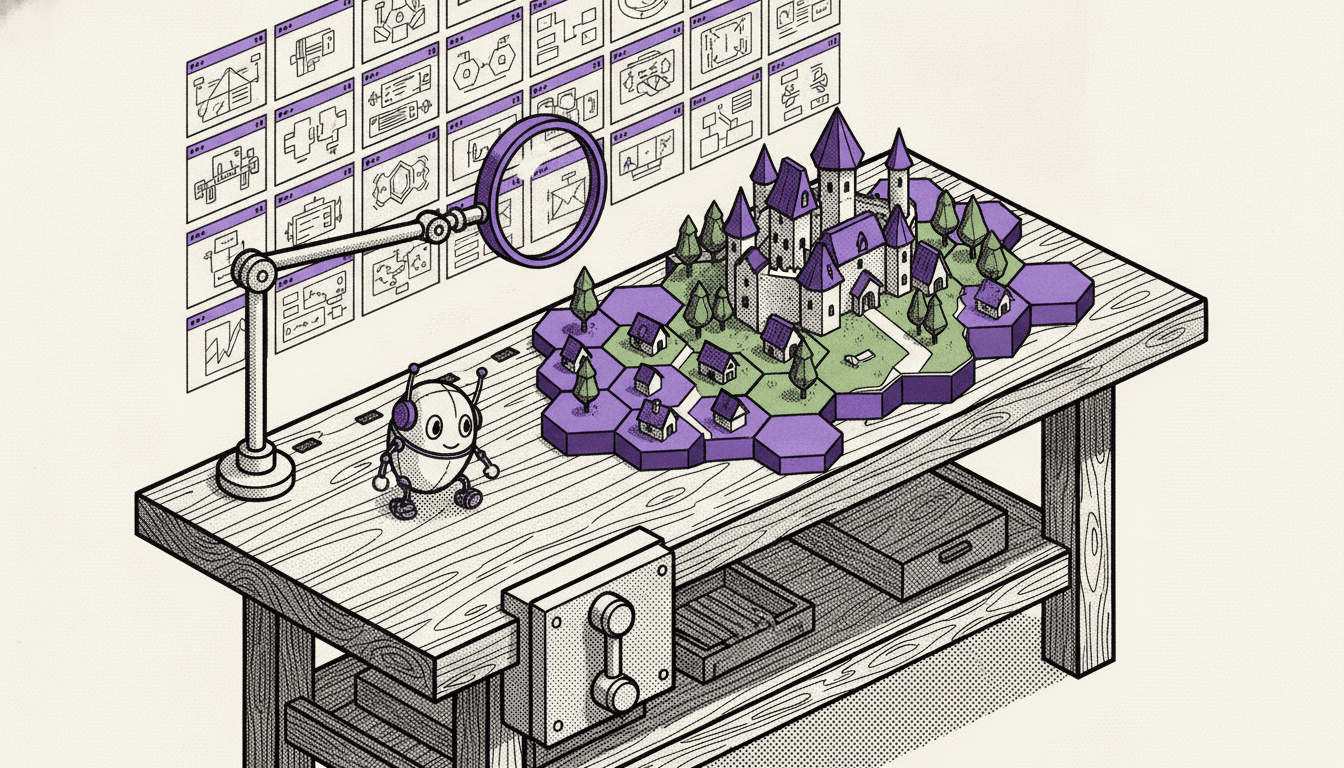
Guildhall turns a code repository into a living 3D world. Every folder becomes a village, the biggest package becomes the capital, the commit history grows the land season by season, and when AI agents work on the code, you watch them walk through town as heroes.
This series is about how I built it, and specifically about the parts where AI alone was not enough. I'll start with the decision that mattered most, because it is the one every developer using AI can apply tomorrow:
Before you build the world, build the workshop. And give the AI eyes.
Version one shipped. Version two looked worse.
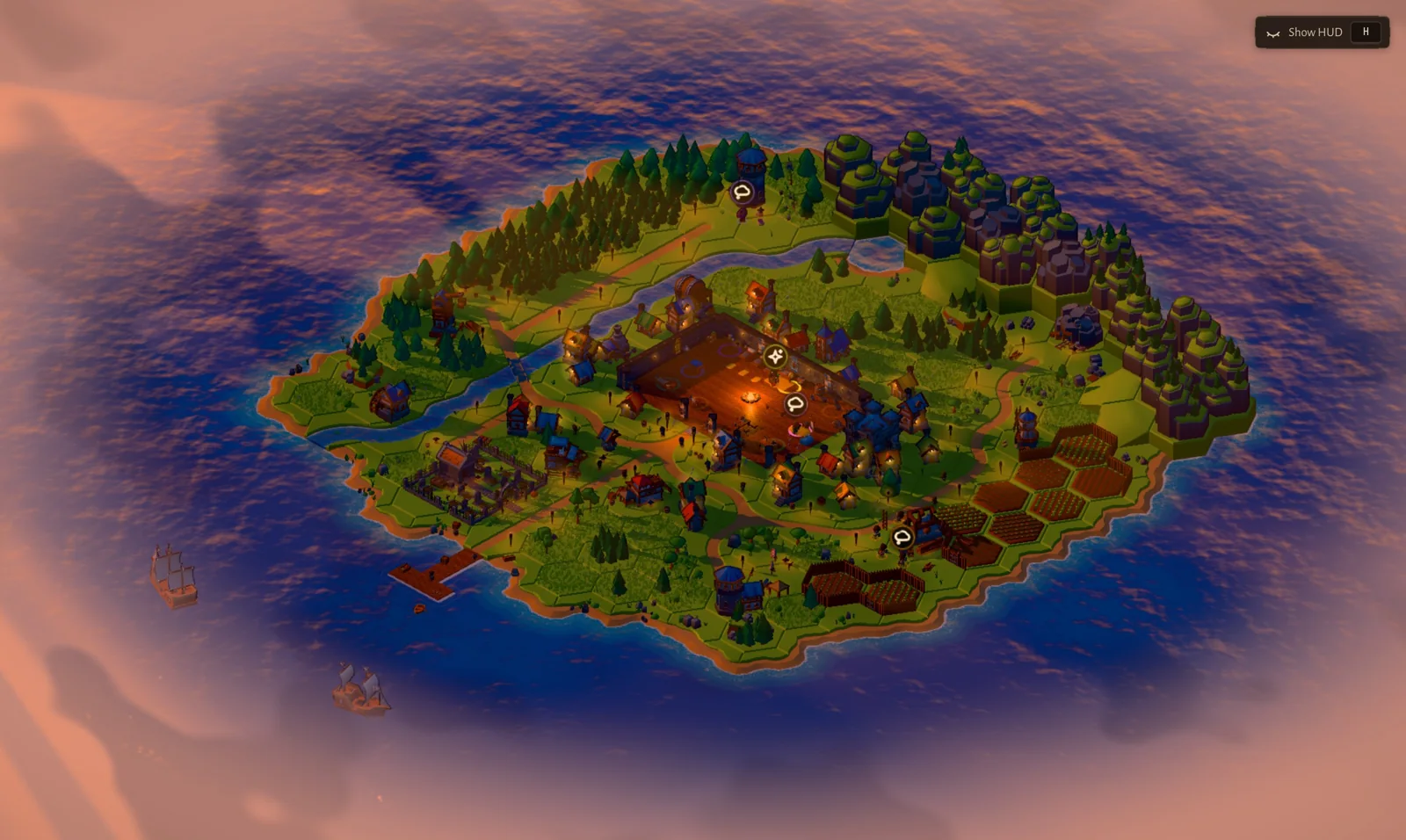
Guildhall V1 was live and people liked it: a warm, chunky, toy-like island with townsfolk, a camera that filmed "stories", and a little HUD.
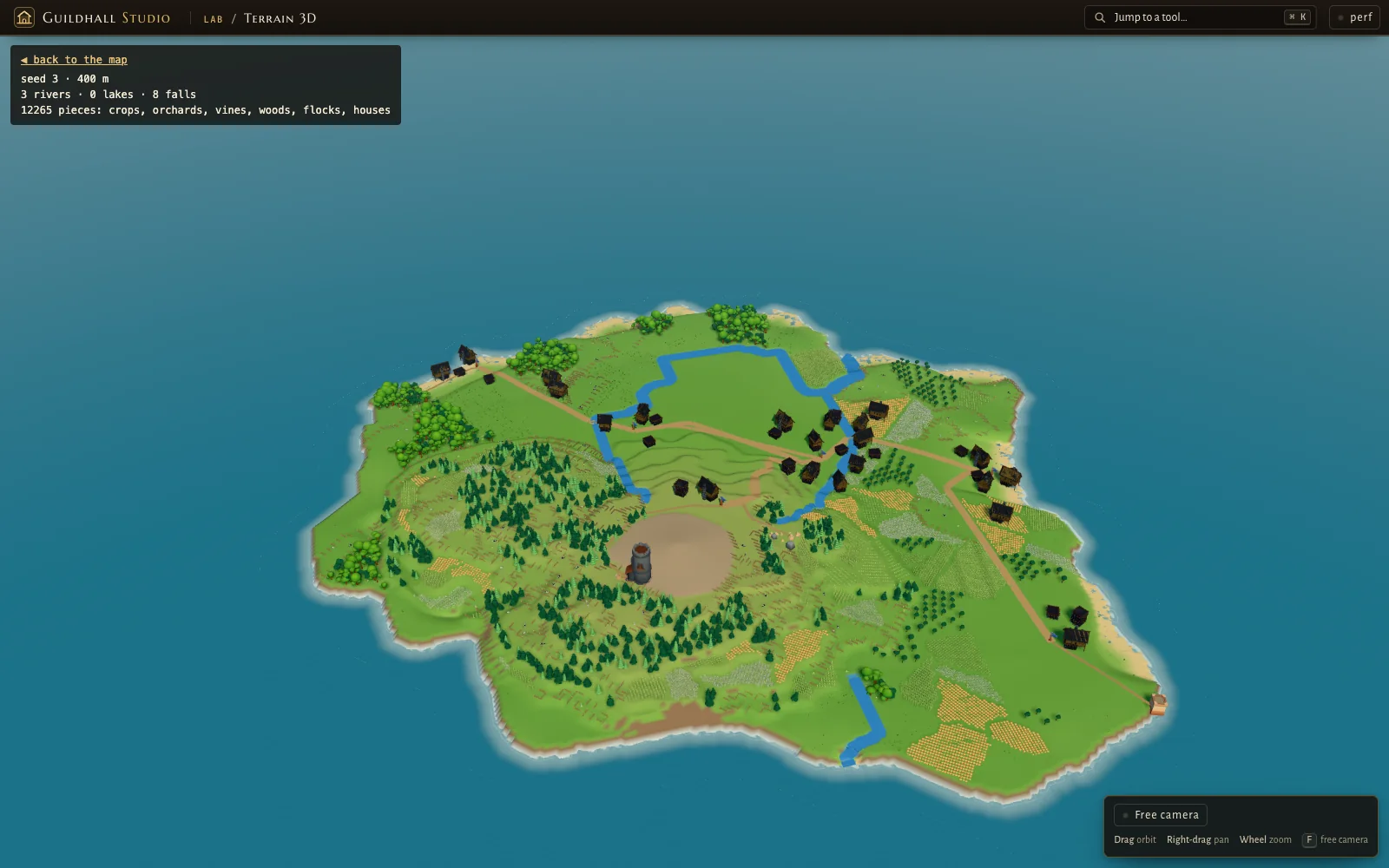
So I planned a "serious" V2. A continuous continent instead of one island, smooth terrain, ring-shaped towns, density metrics, architecture decision records, milestone gates, and a team of AI agents working in parallel.
The engineering was real. Assets were imported at true scale, crowds ran in workers, performance budgets were met, tests were green.
Then one morning I put V2 next to V1, and the new world looked worse.
We are getting into the same trap.
”That attempt now lives on a branch called archive/v2-attempt, kept only as a reference for what not to do.
Why the agents could not see the problem
Here is the uncomfortable part. The agents did exactly what the plan said. Milestones met, tests passing, metrics in range. When something looked off, they reworked it, and kept reworking it.
But nothing in that loop could say "this is the wrong thing."
A test can tell you a house is placed on a valid tile. It cannot tell you the town feels empty. A metric can tell you the forest covers 30% of the land. It cannot tell you the forest looks like green noise. Procedural worlds fail in combinations: a castle in a river, but only with rain at 2.5 and hills at 0. You will never write the test for that combination, because you never imagined it.
The AI was working blind. And honestly, so was I: I was reviewing plans and diffs instead of looking at the world.
The turn: build the workshop first
At the restart I wrote one line in the plan: the Studio is the key to getting this polished.
Instead of generating the world and hoping, we built the tools to see it, piece by piece:
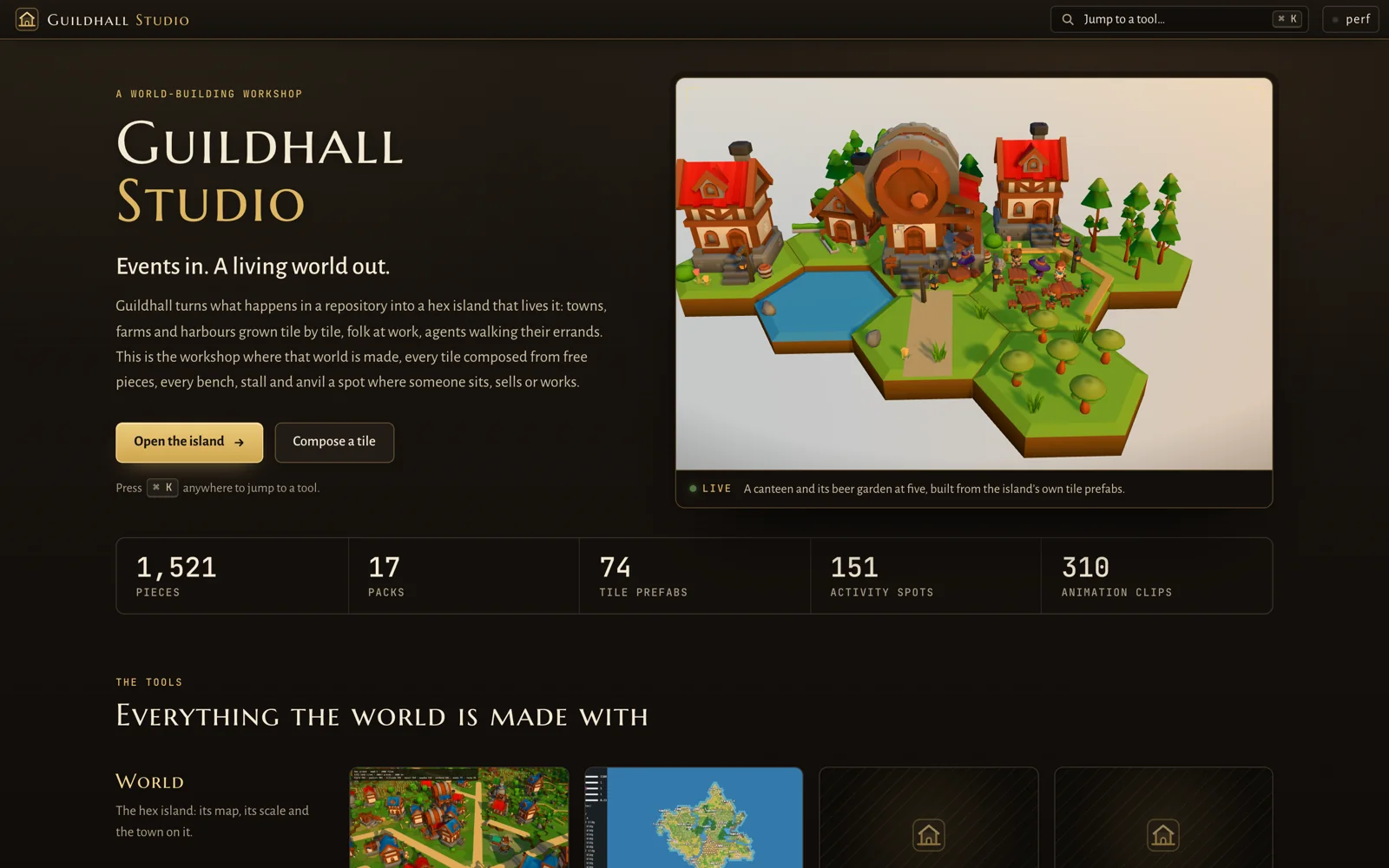
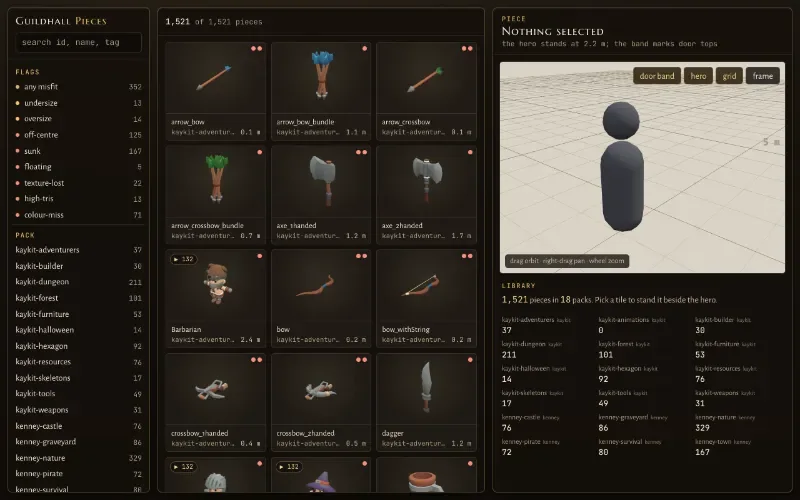
Pieces: everything at true scale
Every asset, from 18 KayKit and Kenney packs, browsable and searchable, standing next to a character for scale. Sounds boring. It solved the first real bug of V1: houses smaller than the people walking past them. Now one rule holds everywhere: the door is a character's height.
Tile prefabs as data, and a composer to author them
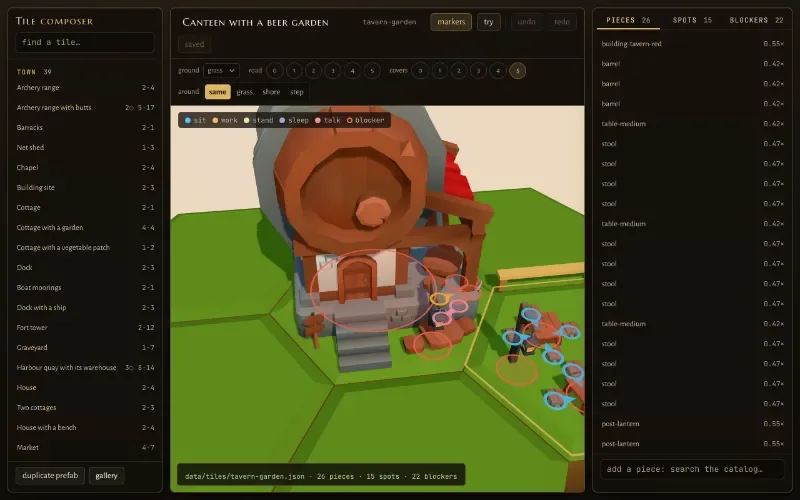
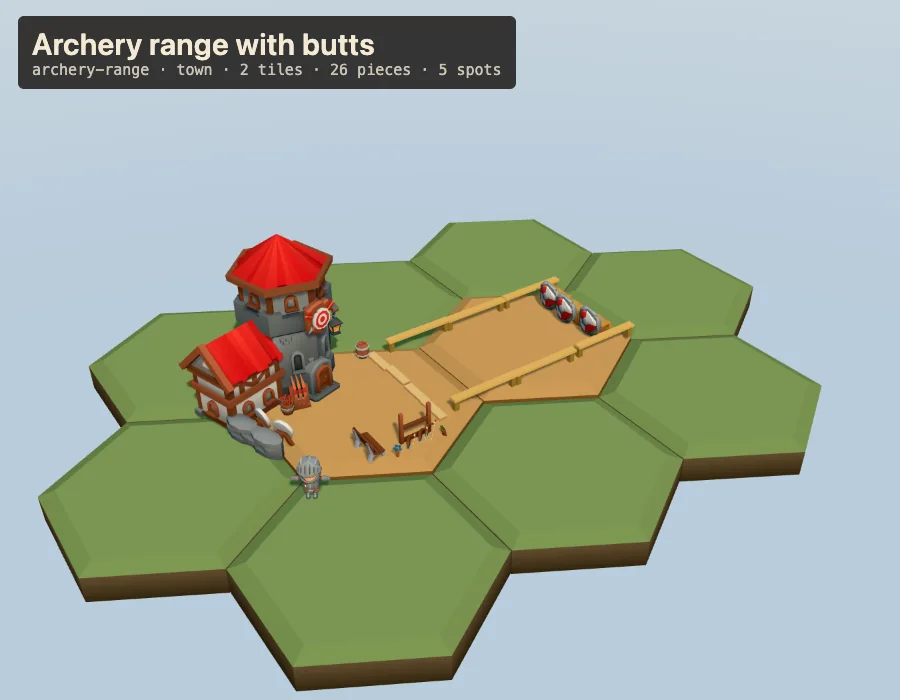
This was the biggest unlock. Every hex tile (a house, a farm, a canteen with a beer garden, an archery range) is a JSON file: its pieces, where people sit, work and talk, and what they must walk around. A composer lets me move pieces with a gizmo and then try the tile, with characters standing on every spot.
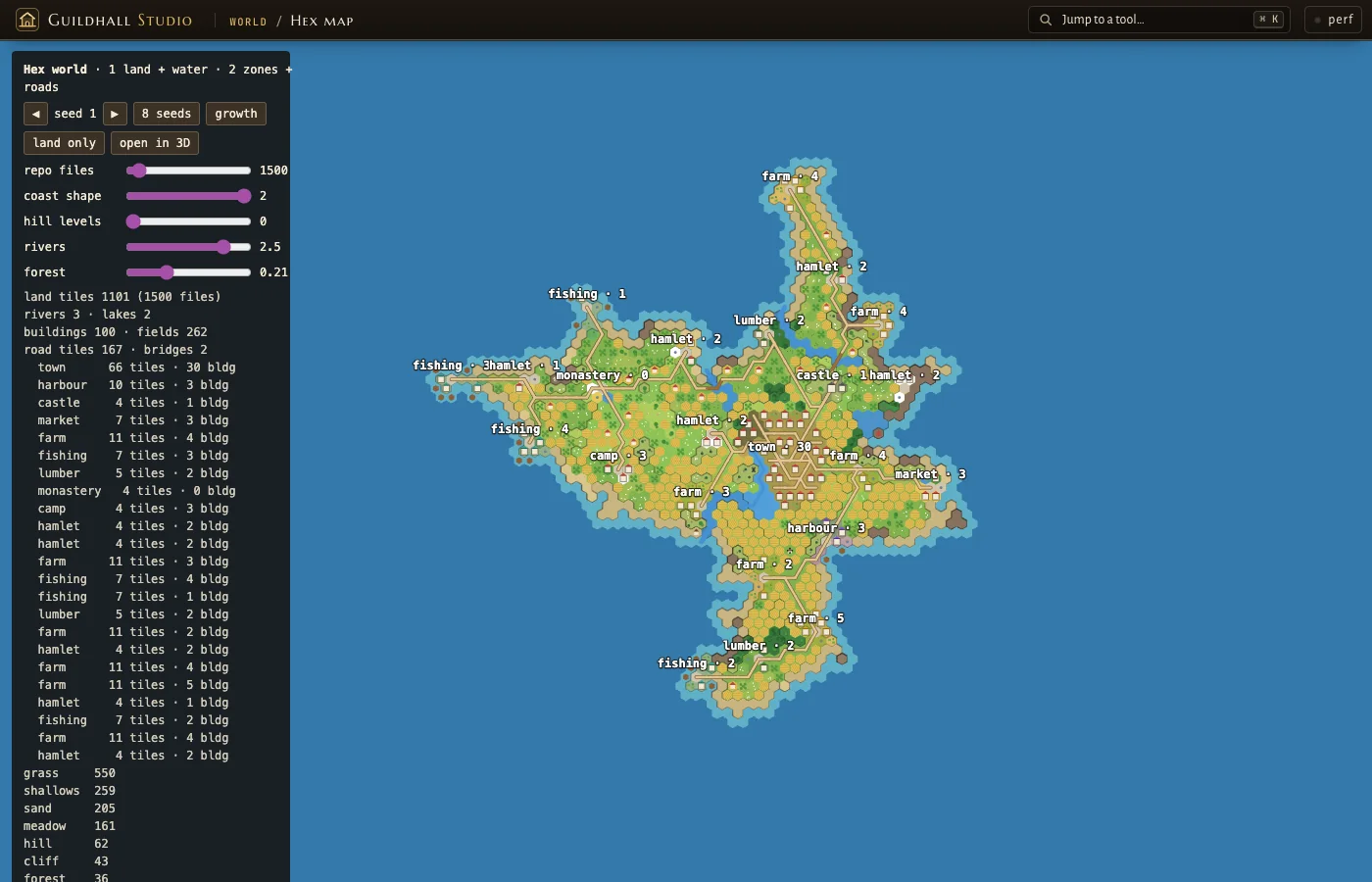
The hex map: knobs you can turn in seconds
A 2D map of the island with sliders for coast, hills, rivers, forest and repo size, which opens the same island in 3D with one click. This is where "castle in a river with rain 2.5 and hills 0" stops being a mystery and becomes a one-click repro.
The grip matrix: a visual regression test
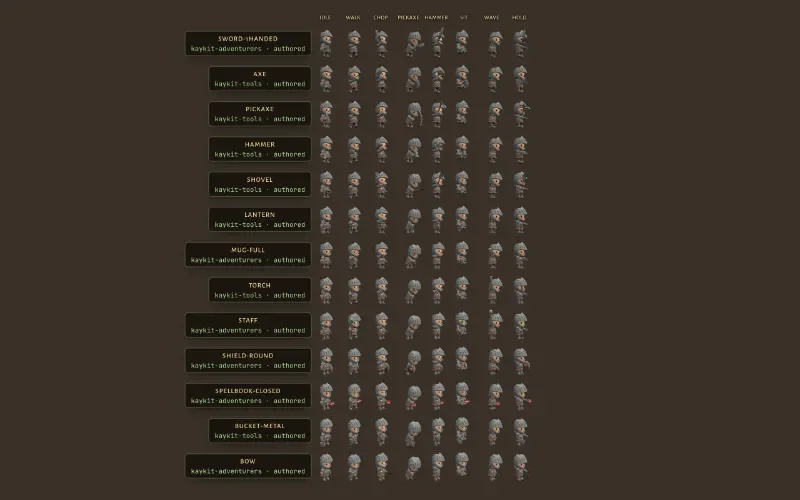
V1 had a nasty problem: characters held props wrong. Grips were hand-tuned per prop, and they broke as soon as an animation rolled the wrist. In V2, a grip is data (handle point, working edge, which hand) authored in a grip editor, and the grip matrix shows every held prop in every animation on one sheet.
Boards for decisions
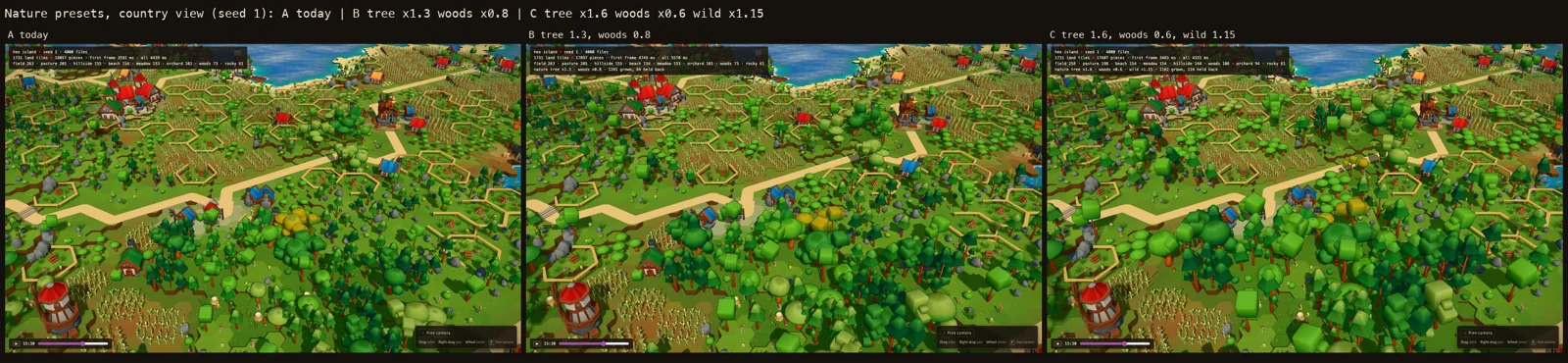
Some decisions are taste, not engineering. So they got boards instead of debates: a scale board to choose proportions side by side, and a nature board to choose how dense and how colorful the land should be.
Giving the AI eyes
The Studio was not only for me. This is the part I want every developer working with agents to steal.
Every tool in the Studio can be driven by a script. The page exposes a small debug API (window.guildhall) that lets a tool set the camera, jump the story clock, change the season, or wait until the world is ready. On top of it, a shot harness opens any URL in a headless browser and saves the frame.
So every agent task ended the same way:
Build the change
Inside a contract: the files it owns, the behavior it must keep.
Shoot it
Before and after, at the same viewport and pixel density, on phone and desktop.
Look at it
The agent opens its own screenshots and critiques them before reporting.
Prove it holds
A test sweeps many seeds: no building over water, no one walking through walls.
Human review
I review contact sheets, not diffs.
That changes what the AI can do. Without eyes, an agent can only satisfy the checks you wrote. With screenshots it must look at, it can notice the things nobody wrote a check for. And the Studio gives it a safe place to experiment: try a tile in the composer, turn a knob on the hex map, compare three nature presets, all before anything touches the real world.
If your AI is building something visual or generative, the most valuable code you will write is not the feature. It is the tool that lets the AI see the feature.
”What it bought us
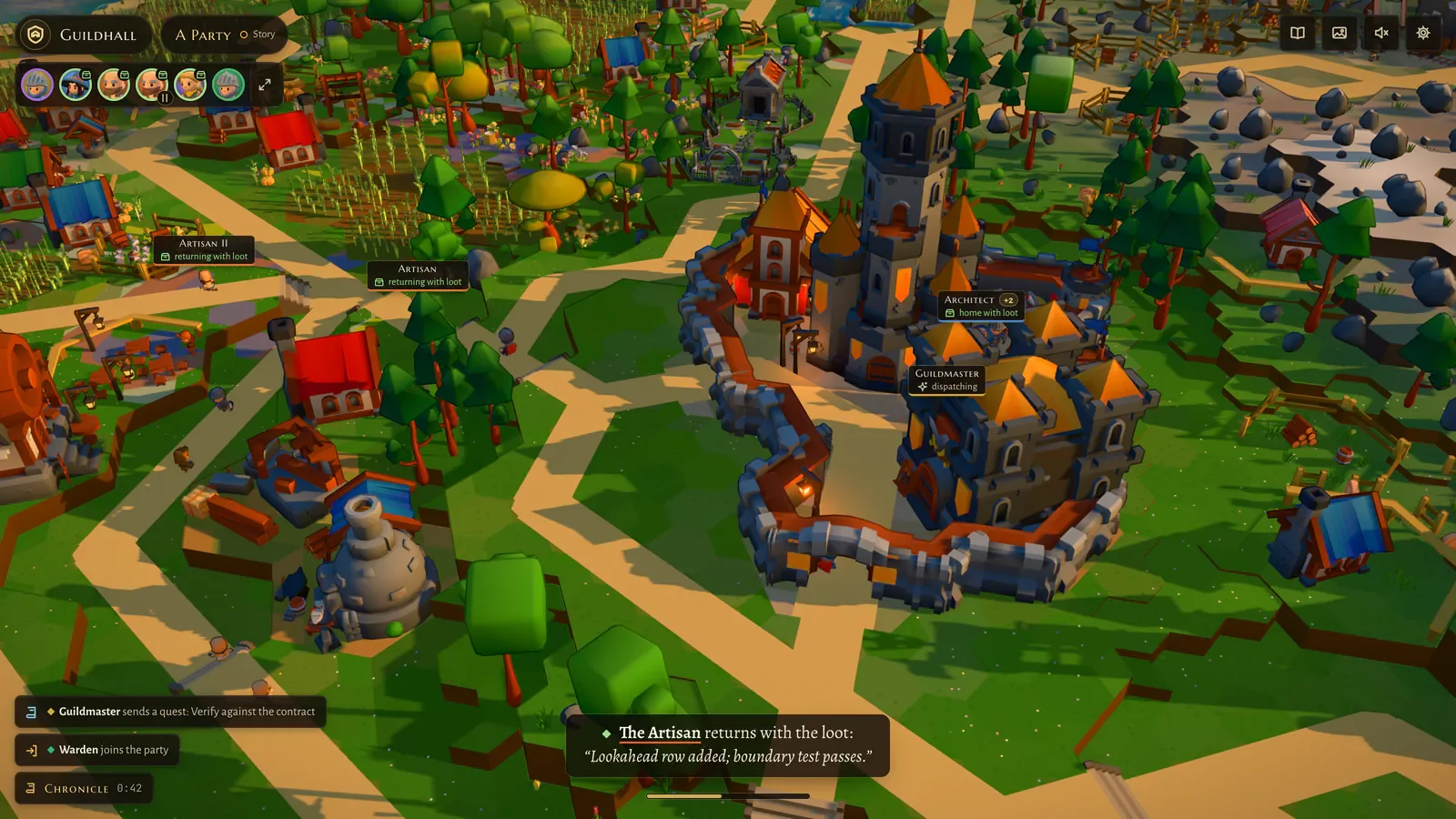
The restart kept V2's good foundations (the asset pipeline, the renderer, the worker build, the crowd, the Studio) and threw away only the world generation and the look. A one-hour spike on a hex grid looked right immediately, and the Studio made it fast to build on.
The lesson
Tests tell you the thing works. Only looking tells you it is the right thing.
AI did a huge share of the typing on Guildhall. But the turns that mattered came from someone looking at the real output and making a call, and the Studio is what made looking cheap, for me and for the agents. If you are building anything procedural, visual or AI-generated: your editor and your visualizer are the quality engine of the product. Build them first.
Next in the series: procedural generation, and why it was the place where the models failed the most.
You can explore the Studio yourself at guildhall.codestz.dev (everything is open, nothing is saved), and the code is on GitHub.